Tuesday, December 1, 2009

Which OS in my new Laptop?


Dear Readers,


After i wrote about the specifications of a laptop for basic home/shop usage. I was asked one more question from you all, asking me what operating system should they choose. Currently there are 3 Operating Systems (OS) from Microsoft, functional in the market. Windows XP , Windows Vista and Windows 7. I will give you a guidelines as to which operating systems you should opt for. Of-course choices vary from user to user. But this is for those people who have no idea about the OS.

What is an Operating System (OS)?
In very short terms, the Operating System is an interface or a communicating agent between you and your computer. It is there to manage and co-ordinate activities on your computer. All Applications or Softwares that you install on your computer, MUST go through the OS to communicate to your Hardware.
For Example, if you want to watch a DVD with PowerDVD software. The Software must first go through the OS driver modules to make use of the DVD Reader and the Display codec to display the DVD itself.

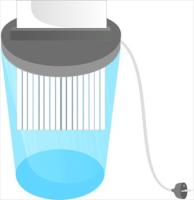
Files you delete, are NOT permanently Deleted!!


Dear Readers,


Scenario 1
So you had a file , named, lets say MY ACCOUNTS on your computer, after you finished working with it, you decided to save it on your flash disk and delete the file from your computer, so that it can not be found in your PC when someone is trying to snoop into your files. You delete the file from the computer and then empty your recycle bin. And say all done, " no one can see my accounts file on this computer",...right?.....WRONG!

Scenario 2
You sold your old computer or laptop to someone , you decided to format the computer and re install Windows , so its completely clean and no traces of your old documents and passwords. And you think that formatting and re installing of Windows removed traces of your documents and passwords and bank details...right??.....WRONG!

My 250GB Hard Disk shows 232 GB when Empty!!

Dear Readers,

Most of us who perform day to day computing on a PC are most likely to have a Flash Disk or External hard disk as their source of backup or data transfer from one PC to another. And with the Price per GB at its lowest , in today's market, why not have a bigger storage for a cheaper price than it was a few years back right. So you go out happily and buy a 250 GB hard disk, or any other size for that matter. Now when you get home, and first plug in the hard drive and you open My Computer, you are shocked to see that your 250GB hard disk has 232 GB of free space. And your hard disk is brand new and completely EMPTY !!. and you Ask......

So where is my 18 GB ??


I paid for 250GB and i am getting 232GB, have i been cheated by the seller? Did the seller sell me a fake Hard Disk? Is there a Virus on my computer ?

.... the answer is NO.


Which laptop for Basic Home/Shop Usage


Hello All,

Clearly we are always put under a dilemma whenever we decide to buy a laptop. With all the varieties out there, it is sometimes almost impossible to find the perfect laptop that falls under your budget. There are 5 Major companies that provide laptops for our market, Dell, HP, Toshiba, Acer and Sony. There are many other brands as well, but 98% of the East African market is flooded with these 5 brands. Now most of them have the same quality of build. Some just charge premium for their name. What you should actually look in a laptop is the specifications. I am here to help you what specifications you should choose if you are looking for a Basic laptop for Home and Shop use.

What is the Best FREE Anti-Virus in My Opinion


No less than twice a week, i get a phone call from a fellow friend/family/colleague or simply a random person asking my advice on which anti virus to use for their laptop or desktop. Most of these people are on the look out for an antivirus because they have been severely infected and have had some data loss. That is the time when they realize the need to protect their computers with the right anti virus.

The Anti-Virus market has significantly increased over the last 10 years, especially after the arrival of Windows XP. Although Microsoft has taken many strides into bringing built in protection to Windows, they still fail to stop the Viruses completely. That is when Anti-Virus companies like Norton, Kaspersky and Eset started making money for their protection by selling yearly licenses to their softwares. But do you really need to pay for an Anti-Virus?? 2-3 years ago, i would have said yes, today, the answer isn't as straight forward as YES or NO anymore.


I am today going to focus on the answer NO (I don't need to pay for an Anti-Virus)

So what are the free alternatives to paid Anti-Virus software like Norton?